Watch: the Database Manager
Browsing databases, running queries, and editing rows inline. The written steps are below.
Overview
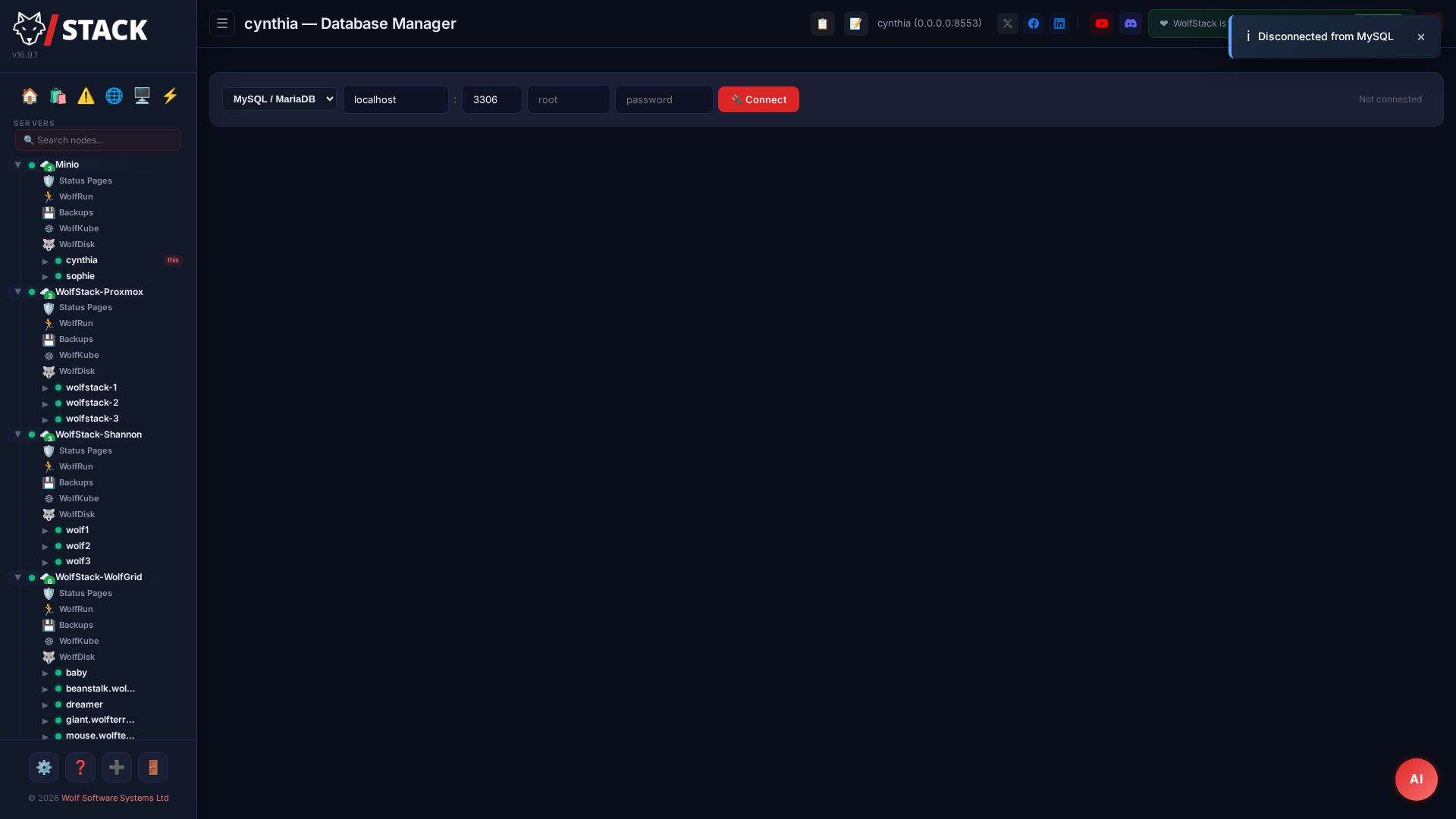
One Database Manager, cluster-wide. The 🗄️ Databases page at the top of the sidebar is the single place in WolfStack to reach every configured database — MariaDB, MySQL, or PostgreSQL — regardless of which node in the cluster actually owns it. The old per-node MySQL editor has been retired: there is now one manager at the datacenter level that serves every connection.
Connections are stored as profiles: a label, engine type, host/port/user/password, and the cluster+node that can reach it. Because profiles replicate to every WolfStack peer, any node can proxy queries — if the main node goes down, the others pick up seamlessly.
Supported Databases
| Database | Driver | Notes |
|---|---|---|
| MariaDB | mysql_async (pure Rust) | All MariaDB versions, TCP + SSL/TLS |
| MySQL | mysql_async (pure Rust) | MySQL 5.7+ and 8.0+ |
| Percona Server | mysql_async (pure Rust) | Compatible with MySQL protocol |
| PostgreSQL | tokio-postgres + deadpool | Pooled connections, SSL prefer/require/disable |
Cluster-Aware Routing
When you add a connection you pick the target cluster, then the owning node, then the IP reachable from that node — the dropdown includes host interfaces, Docker containers, LXC containers, and VMs with their names so you can find them at a glance. You can also paste a shorthand like WolfStack-Proxmox:wolfstack-1:10.10.10.105.
Queries execute on the node that owns the connection. If you open a connection from a different node, WolfStack proxies the query to the owning peer over the cluster-secret-authenticated inter-node channel — no exposing database ports on the public network, no copying credentials between nodes. Profile changes replicate automatically.
Database Manager — Features
The Manager takes the whole page when a connection is open. Six tabs across the top:
📊 Data
- Browse rows with pagination (50 / 100 / 250 / 500 / 1000 rows per page)
- Click column headers to sort ascending, click again for descending
- Quick text filter across all visible cells
- Inline row editing: click ✏️ for a full row-edit modal with one input per column, NULL toggles, PK fields protected, only-changed-columns UPDATE
- Edit / Delete buttons pinned to the left — always visible, even on wide rows
- ➕ Row — insert a new row via prompts for each column
- 📥 Import CSV — upload a CSV, header row maps to columns, rows inserted in a single batch
- 📤 Export — CSV / JSON / SQL INSERTs of the current page
🏗️ Structure
- Full DDL editing with Schema permission: Add column / Drop column, Add index / Drop index, Add foreign key / Drop foreign key
- Engine-aware syntax:
DROP CONSTRAINTon Postgres,DROP FOREIGN KEYon MySQL/MariaDB
🗺️ Diagram (ERD)
- SVG schema diagram — tables rendered as draggable boxes with PK 🔑 markers
- Foreign-key relationships drawn as bezier arrows
- Mousewheel zoom, drag-empty-space pan, double-click a table to jump to its Structure tab
- Auto-layout places tables in a grid (heights variable so wide tables don't overlap)
- 💾 Save SVG — exports a standalone
.svgfile for docs and hand-off
🧱 Build (Visual Query Builder)
- Drag tables from the picker onto the canvas
- Tick columns to include in the
SELECT - Click-drag column-to-column to draw a
JOIN(INNER by default) - Add WHERE conditions in the bottom panel (table/column/operator/value, one row per condition)
- Configurable row limit
- Generated SQL updates live at the bottom — hit Send to Query to open it in the Query tab
⚡ Query
- Multi-tab editor (
+new tab,✕close, double-click to rename) - Lightweight SQL syntax highlighting (keywords / strings / numbers / comments / operators)
- Live
sqlparser-backed validation with tier badge (Read / Update / Delete / Schema) - Ctrl+Space autocomplete with context: after
FROM/JOINsuggests tables, after.suggests columns, otherwise keywords + tables. Each candidate shows its source ("table in schema", "column in schema.table", "SQL keyword") - 💾 Saved queries — named, per-user, server-side (follow you across devices)
- Recent — auto ring-buffer of the last 20 executed queries per connection, per user
- 🔍 Explain / ✨ Format / 📂 Run SQL file (splits on
;, handlesDELIMITER, runs via/query-multi) - Per-tab schema context (Navicat-style): new tabs inherit the currently-selected schema, existing tabs keep theirs
- Destructive-query confirm on TRUNCATE, DROP TABLE, unqualified DELETE, unqualified UPDATE
- Unlimited-query warning when a SELECT/WITH has no LIMIT
- Draggable splitter between editor and result panel
- ⛶ Fullscreen toggle for the whole Databases page
🖥️ Server
- Server version, database, current user, host, port
- Key variables — click ✏️ to change (modal with session / global / ALTER SYSTEM scope, requires Schema permission, auto-runs
pg_reload_conf()after Postgres ALTER SYSTEM) - Active sessions (process list) — click ✕ to kill via
KILL <id>(MySQL) orpg_terminate_backend(pid)(Postgres)
Schema tree — left panel
- Tables + Views grouped per schema with counts
- Procedures / Functions / Triggers listed read-only — click to view the CREATE definition in a modal
- Per-schema + New table, Dump schema, Dump + data actions
- ◀ / 📁 ▶ toggle to hide the tree and give the editor full width
Create Table & Dump / Restore
Create Table wizard — form with a column grid (name, type, NOT NULL, PK, default), live SQL preview, runs at Schema permission.
Dump to SQL — client-driven export of a whole schema. Choose schema-only (fast) or schema + data (paginated 500-row batches). Writes a standalone .sql file with DROP TABLE IF EXISTS / CREATE TABLE / INSERT statements ready for restore. Postgres uses information_schema reconstruction since it has no SHOW CREATE TABLE.
Restore from SQL — the Query tab's 📂 Run SQL file button accepts any .sql upload. The client splits on ; honouring comments, string literals, and DELIMITER directives; the new /query-multi endpoint executes each statement sequentially with stop-on-error and reports per-statement outcomes including the line number where any failure occurred.
Schema Compare
The 🧭 Compare schemas button on the Databases page header opens a side-by-side diff of two schemas (same connection or different). Reports:
- Tables only in source / only in target / in both-with-differences
- Per-table: column additions, removals, type / nullability / default changes
- Index and foreign-key additions / removals
Click 📜 Generate migration SQL to produce CREATE TABLE / DROP TABLE / ALTER TABLE statements that would bring the target in line with the source. The generator leaves complex type-changes as TODO comments for the operator to review — always treat the output as a starting point.
Enterprise ACL
Each connection profile can be restricted to a list of named WolfStack users. Operators without access don't see the profile at all — not in the Databases page, not in the Settings editor, not via the API. A 🔒 badge next to the connection in the list indicates ACL is active.
ACL is an Enterprise feature; on Community installs all authenticated operators share every profile. The restriction applies uniformly to the UI, the REST API, and the AI agent tool surface — there is no bypass path.
AI Agents & WolfFlow
AI agents can talk to the database. Agents configured with SQL permissions use the same pipeline as the UI — same profiles, same cluster routing, same audit log, same sqlparser classifier, same enterprise ACL. An agent asked "how many customers signed up yesterday?" can issue SELECT COUNT(*) FROM customers WHERE created_at > NOW() - INTERVAL 1 DAY and feed the result back into its reply.
Per-agent settings gate what the agent can touch via three independent checks:
- Flags — each agent has separate
sql_read,sql_update,sql_deleteswitches (all default off). DDL viasql_schemais never granted to agents — AI writing ALTER TABLE unsupervised is not a surface we want open. - Allowlist — an operator-set list of connection IDs the agent is allowed to query (empty list = none).
- Parser — every query is classified by
sqlparserbefore dispatch. AnUPDATEpretending to be aSELECTis rejected before it hits the database. Multi-statement queries are refused outright.
WolfFlow workflows get a matching SQL Query action node with the same gates — operators pick a connection, pick a permission tier, write the query; the workflow runs it on schedule or trigger and can feed the result into subsequent steps. Every execution — agent, workflow, or UI — is appended to /var/log/wolfstack/sql-audit.log with caller tag, connection ID, query, outcome, row count, and elapsed time.
Security Model
- Encrypted at rest — passwords stored AES-256-GCM encrypted with the cluster secret (same scheme as OIDC client secrets); only decrypted in memory at connect time
- Cluster-secret auth on inter-node calls — session cookies can't reach the
/query-proxy,/receive, or/auditendpoints; only trusted peers - Hardcoded API denylist — agents using the generic
wolfstack_apitool cannot POST to/api/sql-connections/*or the node-IP enumerator; the only way to run SQL is through the dedicatedsql_querytool, which respects all three permission gates - Filesystem denylist —
/etc/wolfstack/sql-connections.json,/etc/wolfstack/sql-saved-queries.json, and/var/log/wolfstack/sql-audit.logare off-limits to agent filesystem tools - Per-user saved queries — operators' pinned SQL is keyed to their username, not shared across the cluster
- Bounded execution — 5s connect timeout, 30s default query timeout (configurable per query), 10,000-row / 10 MB result cap; hung databases can't starve the actix workers
Galera clusters
Beyond browsing and querying databases, WolfStack can provision, adopt and recover MariaDB Galera clusters — creating the containers, installing MariaDB, configuring wsrep, and bootstrapping the cluster, with split-brain detection and evidence-based recovery. Read the Galera documentation →