Authentication
Three authentication methods are supported. All requests must include one of these:
API Key Enterprise
Send your API key in the X-API-Key header or as a Bearer token in the Authorization header. Keys are prefixed with wsk_ and support scoped permissions.
Session Cookie
After logging in via the web UI or POST /api/login, the browser sends the wolfstack_session cookie automatically with every request. Works in all editions.
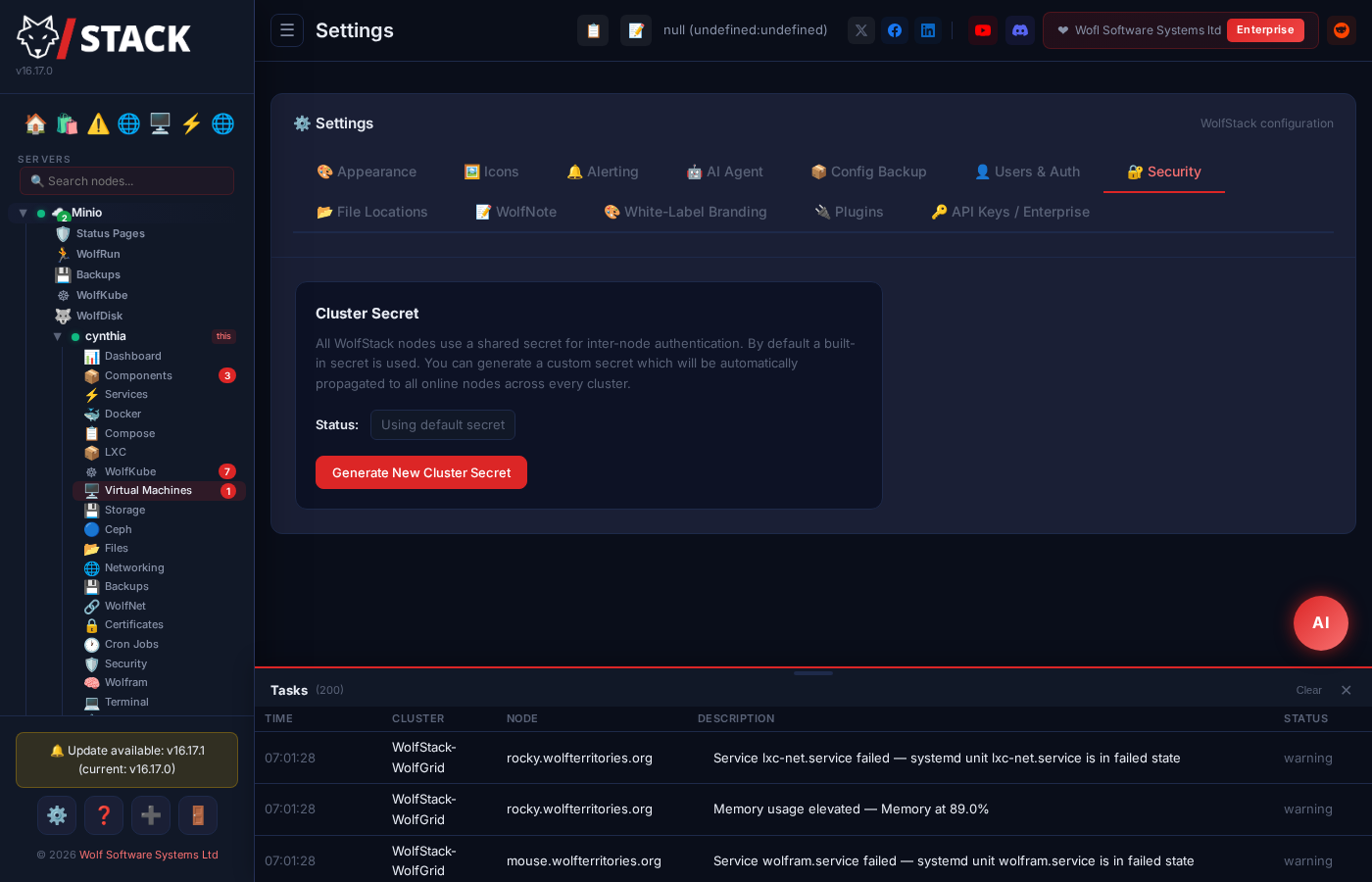
Cluster Secret
Inter-node communication uses the X-WolfStack-Secret header with the shared cluster secret. Used internally for node-to-node API calls.
API Key Authentication (Enterprise)
Create API keys from Settings → API Keys in the web UI. Use them in requests:
# Using X-API-Key header (recommended)
curl -s -H "X-API-Key: wsk_a1b2c3d4e5f6..." \
  https://your-server:8553/api/metrics

# Using Authorization: Bearer header
curl -s -H "Authorization: Bearer wsk_a1b2c3d4e5f6..." \
  https://your-server:8553/api/metrics
Session Cookie Authentication
Log in first to obtain a session cookie, then use it for subsequent requests:
# Log in and save the session cookie
curl -c cookies.txt -X POST -H "Content-Type: application/json" \
  -d '{"username":"admin","password":"yourpassword"}' \
  https://your-server:8553/api/login

# Use the cookie for API calls
curl -b cookies.txt https://your-server:8553/api/metrics
Cluster Secret Authentication
Used for inter-node communication within a cluster:
# Node-to-node request with cluster secret
curl -s -H "X-WolfStack-Secret: your-cluster-secret" \
  https://node-02:8553/api/metrics
API Key Scopes
Each API key can be restricted to specific scopes. Assign only the permissions your integration needs:
| Scope | Access |
|---|
* | Full access — all endpoints, all methods |
read | Read-only — all GET endpoints |
containers | Docker & LXC container management |
vms | Virtual machine management |
storage | Storage mounts, disks, ZFS, and Ceph |
networking | Network interfaces, DNS, VLANs, WolfNet |
backup | Backup schedules, targets, and restore operations |
appstore | App store browsing, install, and management |
statuspage | Status page monitors, pages, and incidents |
cluster | Cluster nodes, join, and settings |
wolfrun | WolfRun container orchestration services |
Dashboard & Metrics
| Method | Endpoint | Description |
|---|
GET | /api/metrics | Current system metrics: CPU usage, memory, swap, load averages, disk I/O, network throughput, and uptime |
GET | /api/metrics/history | Rolling historical metrics (10-minute window) for graphing CPU, memory, and network trends |
# Get current system metrics
curl -s -H "X-API-Key: wsk_..." https://server:8553/api/metrics | jq .
{
  "hostname": "node-01",
  "cpu_usage_percent": 12.5,
  "memory_total": 16777216,
  "memory_used": 7589324,
  "memory_percent": 45.2,
  "load_avg": [0.85, 1.02, 0.97],
  "uptime_seconds": 864000,
  ...
}

# Get metrics history for charts
curl -s -H "X-API-Key: wsk_..." https://server:8553/api/metrics/history | jq '.[0]'
Cluster & Nodes
| Method | Endpoint | Description |
|---|
GET | /api/nodes | List all cluster nodes with hostname, IP, status, CPU/memory usage, and role |
POST | /api/nodes | Join a new node to the cluster using its address and join token |
GET | /api/nodes/{id} | Get detailed information for a specific node including all metrics and capabilities |
DELETE | /api/nodes/{id} | Remove a node from the cluster (does not shut down the remote node) |
PATCH | /api/nodes/{id}/settings | Update node-specific settings such as display name, role, or direct login access |
# List all nodes in the cluster
curl -s -H "X-API-Key: wsk_..." https://server:8553/api/nodes | jq .

# Join a new node
curl -X POST -H "X-API-Key: wsk_..." -H "Content-Type: application/json" \
  -d '{"address":"192.168.1.20:8553","token":"join_token_here"}' \
  https://server:8553/api/nodes
Docker Containers
| Method | Endpoint | Description |
|---|
GET | /api/containers/docker | List all Docker containers with name, image, state, ports, and resource usage |
POST | /api/containers/docker/create | Create and start a new Docker container from an image with full configuration (ports, volumes, env vars, restart policy) |
POST | /api/containers/docker/pull | Pull a Docker image from a registry (Docker Hub, GHCR, or custom registry) |
GET | /api/containers/docker/search | Search Docker Hub for available images by keyword |
GET | /api/containers/docker/{id}/logs | Retrieve container logs with optional tail limit and timestamp filters |
POST | /api/containers/docker/{id}/action | Perform an action on a container: start, stop, restart, pause, unpause, or remove |
POST | /api/containers/docker/{id}/clone | Clone a container with a new name, preserving its configuration and volumes |
POST | /api/containers/docker/{id}/migrate | Migrate a container to another node in the cluster via image export/import |
GET | /api/containers/docker/{id}/inspect | Full Docker inspect output including networking, mounts, config, and state details |
POST | /api/containers/docker/{id}/config | Update container configuration (restart policy, resource limits, labels) |
POST | /api/containers/docker/{id}/env | Update environment variables on a container (recreates the container with new env) |
GET | /api/containers/docker/images | List all locally available Docker images with size, tags, and creation date |
DELETE | /api/containers/docker/images/{id} | Remove a Docker image from the local image store |
POST | /api/containers/docker/import | Import a Docker container from an exported tar archive |
# List all Docker containers
curl -s -H "X-API-Key: wsk_..." https://server:8553/api/containers/docker | jq .

# Create a new container
curl -X POST -H "X-API-Key: wsk_..." -H "Content-Type: application/json" \
  -d '{
    "name": "my-nginx",
    "image": "nginx:latest",
    "ports": ["80:80","443:443"],
    "volumes": ["/data/nginx:/etc/nginx/conf.d"],
    "env": ["NGINX_HOST=example.com"],
    "restart_policy": "unless-stopped"
  }' \
  https://server:8553/api/containers/docker/create

# Stop a container
curl -X POST -H "X-API-Key: wsk_..." -H "Content-Type: application/json" \
  -d '{"action":"stop"}' \
  https://server:8553/api/containers/docker/abc123def/action
LXC Containers
| Method | Endpoint | Description |
|---|
GET | /api/containers/lxc | List all LXC containers with name, state, distribution, IP addresses, and resource usage |
POST | /api/containers/lxc/create | Create a new LXC container from a distribution template with resource limits |
GET | /api/containers/lxc/templates | List available LXC distribution templates (Ubuntu, Debian, Alpine, etc.) |
POST | /api/containers/lxc/{name}/action | Perform an action on an LXC container: start, stop, restart, freeze, unfreeze, or delete |
POST | /api/containers/lxc/{name}/clone | Clone an LXC container with a new name, including its filesystem snapshot |
GET | /api/containers/lxc/{name}/config | Get the full LXC configuration for a container (resource limits, networking, mounts) |
PUT | /api/containers/lxc/{name}/config | Update LXC container configuration (CPU, memory, network, autostart settings) |
POST | /api/containers/lxc/{name}/export | Export an LXC container as a tar archive for backup or migration |
POST | /api/containers/lxc/{name}/migrate | Migrate an LXC container to another node in the cluster |
GET | /api/containers/lxc/{name}/mounts | List bind mounts attached to an LXC container |
POST | /api/containers/lxc/{name}/mounts | Add a new bind mount to an LXC container (host path mapped into container) |
DELETE | /api/containers/lxc/{name}/mounts | Remove a bind mount from an LXC container |
# List all LXC containers
curl -s -H "X-API-Key: wsk_..." https://server:8553/api/containers/lxc | jq .

# Create a new LXC container
curl -X POST -H "X-API-Key: wsk_..." -H "Content-Type: application/json" \
  -d '{
    "name": "web-server",
    "template": "ubuntu",
    "release": "24.04",
    "memory_limit": "2G",
    "cpu_limit": "2"
  }' \
  https://server:8553/api/containers/lxc/create
Docker Compose
| Method | Endpoint | Description |
|---|
GET | /api/compose/stacks | List all Compose stacks with their status, service count, and project directory |
POST | /api/compose/stacks | Create a new Compose stack by providing a name and docker-compose.yml content |
DELETE | /api/compose/stacks/{name} | Delete a Compose stack, stopping all services and removing the project directory |
GET | /api/compose/stacks/{name}/compose | Get the docker-compose.yml file contents for a stack |
POST | /api/compose/stacks/{name}/compose | Update the docker-compose.yml file contents for a stack |
POST | /api/compose/stacks/{name}/up | Bring up a Compose stack (equivalent to docker compose up -d) |
POST | /api/compose/stacks/{name}/down | Bring down a Compose stack, stopping and removing all services |
POST | /api/compose/stacks/{name}/pull | Pull the latest images for all services in a Compose stack |
POST | /api/compose/stacks/{name}/restart | Restart the running containers of a Compose stack in place (docker compose restart) — same containers, same image |
POST | /api/compose/stacks/{name}/recreate | Recreate every container in a Compose stack from its compose file (docker compose up -d --force-recreate --remove-orphans); volumes are kept. Same report as /up |
GET | /api/compose/stacks/{name}/logs | Retrieve combined logs from all services in a Compose stack |
# List all Compose stacks
curl -s -H "X-API-Key: wsk_..." https://server:8553/api/compose/stacks | jq .

# Create a new stack
curl -X POST -H "X-API-Key: wsk_..." -H "Content-Type: application/json" \
  -d '{
    "name": "monitoring",
    "compose": "version: \"3.8\"\nservices:\n  prometheus:\n    image: prom/prometheus\n    ports:\n      - 9090:9090"
  }' \
  https://server:8553/api/compose/stacks

# Bring a stack up
curl -X POST -H "X-API-Key: wsk_..." \
  https://server:8553/api/compose/stacks/monitoring/up
Storage & Disks
| Method | Endpoint | Description |
|---|
GET | /api/storage/list | List all block devices and their partitions with size, filesystem type, and mount point |
GET | /api/storage/mounts | List all configured storage mounts (S3, NFS, SSHFS, WolfDisk, local) with status |
POST | /api/storage/mounts | Create a new storage mount configuration (specify type, credentials, mount point) |
PUT | /api/storage/mounts/{id} | Update an existing storage mount configuration |
DELETE | /api/storage/mounts/{id} | Delete a storage mount configuration (unmounts first if currently mounted) |
POST | /api/storage/mounts/{id}/mount | Mount a configured storage location to its mount point |
POST | /api/storage/mounts/{id}/unmount | Unmount a currently mounted storage location |
GET | /api/storage/disk-info | Detailed disk information including SMART data, temperature, and health status |
POST | /api/storage/disk/partition | Create a new partition on a block device |
POST | /api/storage/disk/format | Format a partition with a specified filesystem (ext4, xfs, btrfs, etc.) |
# List all storage mounts
curl -s -H "X-API-Key: wsk_..." https://server:8553/api/storage/mounts | jq .

# Create an S3 mount
curl -X POST -H "X-API-Key: wsk_..." -H "Content-Type: application/json" \
  -d '{
    "name": "backup-bucket",
    "mount_type": "s3",
    "bucket": "my-backups",
    "endpoint": "https://s3.amazonaws.com",
    "access_key": "AKIA...",
    "secret_key": "...",
    "mount_point": "/mnt/s3-backups"
  }' \
  https://server:8553/api/storage/mounts
ZFS
| Method | Endpoint | Description |
|---|
GET | /api/storage/zfs/pools | List all ZFS pools with health status, size, used/free space, and properties |
GET | /api/storage/zfs/datasets | List all ZFS datasets and volumes with mount point, compression, and quota info |
GET | /api/storage/zfs/snapshots | List all ZFS snapshots with creation time, referenced size, and parent dataset |
POST | /api/storage/zfs/snapshot | Create a new ZFS snapshot of a dataset or volume |
DELETE | /api/storage/zfs/snapshot | Delete a ZFS snapshot by name |
POST | /api/storage/zfs/pool/scrub | Start a scrub operation on a ZFS pool to verify data integrity |
# List ZFS pools
curl -s -H "X-API-Key: wsk_..." https://server:8553/api/storage/zfs/pools | jq .

# Create a snapshot
curl -X POST -H "X-API-Key: wsk_..." -H "Content-Type: application/json" \
  -d '{"dataset":"tank/data","snapshot_name":"daily-2026-04-04"}' \
  https://server:8553/api/storage/zfs/snapshot
Ceph
| Method | Endpoint | Description |
|---|
GET | /api/ceph/status | Ceph cluster health status, IOPS, throughput, OSD count, and PG distribution |
POST | /api/ceph/bootstrap | Bootstrap a new Ceph cluster on the current node (initializes monitors and managers) |
POST | /api/ceph/pools | Create a new Ceph pool with specified replication factor and PG count |
DELETE | /api/ceph/pools/{name} | Delete a Ceph pool (requires confirmation, destroys all data in the pool) |
POST | /api/ceph/osds | Add a new OSD (Object Storage Daemon) to the Ceph cluster using a specified disk |
DELETE | /api/ceph/osds/{id} | Remove an OSD from the Ceph cluster (marks out, stops, and purges) |
# Get Ceph cluster status
curl -s -H "X-API-Key: wsk_..." https://server:8553/api/ceph/status | jq .

# Create a new pool
curl -X POST -H "X-API-Key: wsk_..." -H "Content-Type: application/json" \
  -d '{"name":"rbd-pool","size":3,"pg_num":128}' \
  https://server:8553/api/ceph/pools
Networking
| Method | Endpoint | Description |
|---|
GET | /api/networking/interfaces | List all network interfaces with IP addresses, MAC, speed, state, and traffic counters |
GET | /api/networking/dns | Get current DNS resolver configuration (/etc/resolv.conf entries) |
POST | /api/networking/dns | Update DNS resolver configuration with new nameservers and search domains |
POST | /api/networking/interfaces/{name}/ip | Add an IP address to a network interface |
DELETE | /api/networking/interfaces/{name}/ip | Remove an IP address from a network interface |
POST | /api/networking/vlans | Create a VLAN interface on a parent network interface |
DELETE | /api/networking/vlans/{name} | Delete a VLAN interface |
GET | /api/networking/listening-ports | List all listening TCP/UDP ports with associated process name and PID |
# List network interfaces
curl -s -H "X-API-Key: wsk_..." https://server:8553/api/networking/interfaces | jq .

# Create a VLAN
curl -X POST -H "X-API-Key: wsk_..." -H "Content-Type: application/json" \
  -d '{"parent":"eth0","vlan_id":100}' \
  https://server:8553/api/networking/vlans
Wake-on-LAN
Machines are stored on the node that sends their wake signal (it must be on the machine’s LAN), so every endpoint acts on that node’s machines only. Call the node directly, or reach another node through /api/nodes/{node_id}/proxy/api/wol/…. Listing and status need the read scope; adding, editing, removing and waking need a full-access (*) key when calling the node directly, or the cluster scope through the node proxy. Viewer sessions cannot change or wake machines. See Networking → Wake-on-LAN.
| Method | Endpoint | Description |
|---|
GET | /api/wol/targets | List this node’s machines: {"targets":[{id, name, mac, broadcast, port, host}]} |
POST | /api/wol/targets | Add a machine. Body {name, mac, host?, broadcast?, port?}; port defaults to 9, blank broadcast = every IPv4 network on the node. Returns the stored machine (MAC normalised to aa:bb:cc:dd:ee:ff). Max 256 per node |
PUT | /api/wol/targets/{id} | Replace a machine’s fields (same body as POST) |
DELETE | /api/wol/targets/{id} | Remove a machine |
POST | /api/wol/targets/{id}/wake | Send the magic packet from this node. Returns {mac, port, sent_to:[...], failed:[...]}. Success means the packet left the node, not that the machine has started |
GET | /api/wol/status | Ping every machine that has a host set: {"<id>": true | false | null} (null = no host configured) |
# Wake a machine, then wait until it answers
curl -X POST -H "X-API-Key: wsk_..." https://server:8553/api/wol/targets/{id}/wake
until curl -s -H "X-API-Key: wsk_..." https://server:8553/api/wol/status | jq -e '.["{id}"] == true' >/dev/null; do sleep 5; done
WolfNet
WolfNet is the encrypted overlay network that connects cluster nodes. Uses X25519 key exchange with ChaCha20-Poly1305 encryption.
| Method | Endpoint | Description |
|---|
GET | /api/networking/wolfnet | Get WolfNet configuration including local IP, subnet, and peer list |
GET | /api/wolfnet/status | WolfNet daemon status: running/stopped, interface state, connected peers, and traffic stats |
GET | /api/wolfnet/next-ip | Get the next available IP address in the WolfNet subnet for a new peer |
POST | /api/networking/wolfnet/peers | Add a peer to the WolfNet overlay network with its public key and endpoint |
DELETE | /api/networking/wolfnet/peers | Remove a peer from the WolfNet overlay network |
# Check WolfNet status
curl -s -H "X-API-Key: wsk_..." https://server:8553/api/wolfnet/status | jq .

# Add a WolfNet peer
curl -X POST -H "X-API-Key: wsk_..." -H "Content-Type: application/json" \
  -d '{"public_key":"base64key...","endpoint":"203.0.113.10:51820","allowed_ip":"10.99.0.5/32"}' \
  https://server:8553/api/networking/wolfnet/peers
WireGuard Bridge
Create WireGuard VPN tunnels for remote access to cluster networks. Each cluster can have its own WireGuard interface with client configurations.
| Method | Endpoint | Description |
|---|
GET | /api/networking/wireguard | List all WireGuard interfaces with their status, peer count, and traffic stats |
POST | /api/networking/wireguard/{cluster}/init | Initialize a new WireGuard interface for a cluster with server keypair and listen port |
POST | /api/networking/wireguard/{cluster}/clients | Generate a new client configuration with keypair and assigned IP from the tunnel subnet |
GET | /api/networking/wireguard/{cluster}/clients/{id}/config | Download the WireGuard client configuration file (.conf) for import into a WireGuard client app |
# Initialize WireGuard for a cluster
curl -X POST -H "X-API-Key: wsk_..." -H "Content-Type: application/json" \
  -d '{"listen_port":51821,"address":"10.100.0.1/24"}' \
  https://server:8553/api/networking/wireguard/production/init

# Generate a client config
curl -X POST -H "X-API-Key: wsk_..." -H "Content-Type: application/json" \
  -d '{"name":"laptop-paul"}' \
  https://server:8553/api/networking/wireguard/production/clients
Backups
| Method | Endpoint | Description |
|---|
GET | /api/backups | List all backup jobs with status, last run time, size, and destination |
POST | /api/backups | Create a new backup job specifying source paths, destination target, and retention policy |
DELETE | /api/backups/{id} | Delete a backup job and optionally its stored backup data |
POST | /api/backups/{id}/restore | Restore a backup to its original or a specified destination path |
GET | /api/backups/targets | List available backup targets (local paths, S3 buckets, NFS mounts, remote servers) |
GET | /api/backups/schedules | List all backup schedules with cron expressions, next run time, and assigned jobs |
POST | /api/backups/schedules | Create or update a backup schedule with cron timing and backup job assignment |
DELETE | /api/backups/schedules/{id} | Delete a backup schedule (does not delete the backup jobs or data) |
# List all backups
curl -s -H "X-API-Key: wsk_..." https://server:8553/api/backups | jq .

# Create a backup job
curl -X POST -H "X-API-Key: wsk_..." -H "Content-Type: application/json" \
  -d '{
    "name": "etc-config-backup",
    "source_paths": ["/etc/wolfstack", "/etc/nginx"],
    "target_id": "s3-backup-target",
    "retention_days": 30
  }' \
  https://server:8553/api/backups
File Manager
| Method | Endpoint | Description |
|---|
GET | /api/files/browse | Browse a directory listing with file names, sizes, permissions, modification times, and types |
POST | /api/files/mkdir | Create a new directory at the specified path |
POST | /api/files/delete | Delete a file or directory (recursive for directories) |
POST | /api/files/rename | Rename or move a file or directory to a new path |
POST | /api/files/upload | Upload a file to the specified directory (multipart form data) |
GET | /api/files/download | Download a file from the server as a binary stream |
GET | /api/files/search | Search for files by name pattern within a directory tree |
GET | /api/files/read | Read the contents of a text file for viewing or editing |
POST | /api/files/write | Write content to a text file (creates or overwrites) |
# Browse /etc directory
curl -s -H "X-API-Key: wsk_..." \
  "https://server:8553/api/files/browse?path=/etc" | jq .

# Read a config file
curl -s -H "X-API-Key: wsk_..." \
  "https://server:8553/api/files/read?path=/etc/hostname" | jq .

# Upload a file
curl -X POST -H "X-API-Key: wsk_..." \
  -F "file=@backup.tar.gz" -F "path=/tmp" \
  https://server:8553/api/files/upload
Security
| Method | Endpoint | Description |
|---|
GET | /api/security/status | Security overview: UFW status, Fail2ban jails, banned IPs, iptables rules, and listening ports |
POST | /api/security/ufw/rule | Add a UFW firewall rule (allow/deny by port, protocol, and source IP) |
DELETE | /api/security/ufw/rule | Remove a UFW firewall rule by rule number or specification |
POST | /api/security/ufw/toggle | Enable or disable the UFW firewall |
POST | /api/security/fail2ban/unban | Unban an IP address from all Fail2ban jails |
POST | /api/security/updates/check | Check for available system package updates (apt/dnf/pacman) |
POST | /api/security/updates/apply | Apply all available system package updates |
# Get security status
curl -s -H "X-API-Key: wsk_..." https://server:8553/api/security/status | jq .

# Add a UFW rule to allow HTTPS
curl -X POST -H "X-API-Key: wsk_..." -H "Content-Type: application/json" \
  -d '{"action":"allow","port":"443","protocol":"tcp"}' \
  https://server:8553/api/security/ufw/rule
Certificates
| Method | Endpoint | Description |
|---|
POST | /api/certificates | Request a new TLS certificate via Let’s Encrypt (ACME) for the specified domain |
GET | /api/certificates/list | List all managed TLS certificates with domain, expiry date, issuer, and renewal status |
# List certificates
curl -s -H "X-API-Key: wsk_..." https://server:8553/api/certificates/list | jq .

# Request a new certificate
curl -X POST -H "X-API-Key: wsk_..." -H "Content-Type: application/json" \
  -d '{"domain":"dashboard.example.com","email":"admin@example.com"}' \
  https://server:8553/api/certificates
Alerting
| Method | Endpoint | Description |
|---|
GET | /api/alerts/config | Get alerting configuration: thresholds, notification channels (email/webhook), and recipient list |
POST | /api/alerts/config | Update alerting configuration with new thresholds, email settings, or webhook URLs |
POST | /api/alerts/test | Send a test alert notification to verify email/webhook delivery |
# Get alert configuration
curl -s -H "X-API-Key: wsk_..." https://server:8553/api/alerts/config | jq .

# Update alert thresholds
curl -X POST -H "X-API-Key: wsk_..." -H "Content-Type: application/json" \
  -d '{
    "cpu_threshold": 90,
    "memory_threshold": 85,
    "disk_threshold": 95,
    "email_recipients": ["ops@example.com"],
    "webhook_url": "https://hooks.slack.com/services/..."
  }' \
  https://server:8553/api/alerts/config
Status Pages
Uptime monitoring with public-facing status pages. All entities are cluster-scoped — pass the cluster query parameter.
| Method | Endpoint | Description |
|---|
GET | /api/statuspage/monitors | List all uptime monitors with check type (HTTP, TCP, ping), interval, and current status |
POST | /api/statuspage/monitors | Create a new uptime monitor with URL/host, check type, interval, and expected response |
DELETE | /api/statuspage/monitors/{id} | Delete an uptime monitor and its historical check data |
GET | /api/statuspage/pages | List all public status pages with their slug, title, assigned monitors, and theme |
POST | /api/statuspage/pages | Create a new public status page with a URL slug, title, and list of monitors to display |
DELETE | /api/statuspage/pages/{id} | Delete a public status page (monitors continue running) |
GET | /api/statuspage/incidents | List all incidents with status (investigating, identified, monitoring, resolved) and updates |
POST | /api/statuspage/incidents | Create a new incident with title, description, severity, and affected monitors |
DELETE | /api/statuspage/incidents/{id} | Delete an incident record |
# List monitors for a cluster
curl -s -H "X-API-Key: wsk_..." \
  "https://server:8553/api/statuspage/monitors?cluster=production" | jq .

# Create an HTTP monitor
curl -X POST -H "X-API-Key: wsk_..." -H "Content-Type: application/json" \
  -d '{
    "cluster": "production",
    "name": "Main Website",
    "url": "https://example.com",
    "check_type": "http",
    "interval_seconds": 30,
    "expected_status": 200
  }' \
  https://server:8553/api/statuspage/monitors
App Store
| Method | Endpoint | Description |
|---|
GET | /api/appstore/apps | List all available applications in the app store with categories, descriptions, and install types |
GET | /api/appstore/apps/{id} | Get detailed information about a specific application including configuration options |
POST | /api/appstore/apps/{id}/prepare-install | Prepare an app for installation and return the configuration form (ports, volumes, env vars) |
GET | /api/appstore/installed | List all installed applications with their status, version, and resource usage |
DELETE | /api/appstore/installed/{id} | Uninstall an application and remove its containers, volumes, and configuration |
# Browse available apps
curl -s -H "X-API-Key: wsk_..." https://server:8553/api/appstore/apps | jq '.[0:3]'

# Prepare to install an app
curl -X POST -H "X-API-Key: wsk_..." \
  https://server:8553/api/appstore/apps/nextcloud/prepare-install | jq .
WolfRun Orchestration
Manage multi-container services across cluster nodes with automatic scaling, health checks, and rolling updates.
| Method | Endpoint | Description |
|---|
GET | /api/wolfrun/services | List all orchestrated services with replica count, status, health, and assigned nodes |
POST | /api/wolfrun/services | Create a new orchestrated service with image, replicas, placement, and health check config |
POST | /api/wolfrun/services/adopt | Adopt an existing running container as a WolfRun-managed service |
GET | /api/wolfrun/services/{id} | Get detailed service information including per-replica status and deployment history |
DELETE | /api/wolfrun/services/{id} | Delete an orchestrated service and stop all its replicas across the cluster |
POST | /api/wolfrun/services/{id}/scale | Scale a service to a target replica count across available nodes |
POST | /api/wolfrun/services/{id}/action | Perform a service action: restart all replicas, rolling update, or force redeploy |
# List orchestrated services
curl -s -H "X-API-Key: wsk_..." https://server:8553/api/wolfrun/services | jq .

# Scale a service to 5 replicas
curl -X POST -H "X-API-Key: wsk_..." -H "Content-Type: application/json" \
  -d '{"replicas":5}' \
  https://server:8553/api/wolfrun/services/svc_abc123/scale
Kubernetes (WolfKube)
Manage lightweight Kubernetes clusters provisioned by WolfStack. Deploy apps, manage pods, and scale deployments.
| Method | Endpoint | Description |
|---|
GET | /api/kubernetes/clusters | List all Kubernetes clusters with version, node count, status, and resource usage |
POST | /api/kubernetes/clusters | Create a new Kubernetes cluster (provisions control plane and worker nodes) |
DELETE | /api/kubernetes/clusters/{id} | Delete a Kubernetes cluster and tear down all its nodes |
GET | /api/kubernetes/clusters/{id}/pods | List all pods in the cluster with namespace, status, restarts, and resource usage |
DELETE | /api/kubernetes/clusters/{id}/pods/{name} | Delete a pod (the controller will recreate it if managed by a deployment) |
GET | /api/kubernetes/clusters/{id}/deployments | List all deployments with replica count, available/unavailable pods, and image versions |
DELETE | /api/kubernetes/clusters/{id}/deployments/{name} | Delete a deployment and all its managed pods |
PATCH | /api/kubernetes/clusters/{id}/deployments/{name}/scale | Scale a deployment to a specified number of replicas |
POST | /api/kubernetes/clusters/{id}/deploy-app | Deploy an application to the cluster from an image with port, replicas, and env config |
# List Kubernetes clusters
curl -s -H "X-API-Key: wsk_..." https://server:8553/api/kubernetes/clusters | jq .

# Scale a deployment
curl -X PATCH -H "X-API-Key: wsk_..." -H "Content-Type: application/json" \
  -d '{"replicas":3}' \
  https://server:8553/api/kubernetes/clusters/k8s_01/deployments/web-app/scale
WolfFlow Automation
Visual workflow automation engine. Create workflows with triggers, conditions, and actions to automate server management tasks.
| Method | Endpoint | Description |
|---|
GET | /api/wolfflow/workflows | List all workflows with name, trigger type, enabled status, and last run time |
POST | /api/wolfflow/workflows | Create a new workflow with nodes (triggers, conditions, actions) and edge connections |
GET | /api/wolfflow/workflows/{id} | Get a workflow definition including all nodes, edges, and configuration |
PUT | /api/wolfflow/workflows/{id} | Update a workflow definition (replaces all nodes and edges) |
DELETE | /api/wolfflow/workflows/{id} | Delete a workflow and its run history |
POST | /api/wolfflow/workflows/{id}/run | Manually trigger a workflow run regardless of its configured trigger |
GET | /api/wolfflow/runs | List workflow run history with status (success, failed, running), duration, and output logs |
# List all workflows
curl -s -H "X-API-Key: wsk_..." https://server:8553/api/wolfflow/workflows | jq .

# Manually trigger a workflow
curl -X POST -H "X-API-Key: wsk_..." \
  https://server:8553/api/wolfflow/workflows/wf_abc123/run
Cron Jobs
| Method | Endpoint | Description |
|---|
GET | /api/cron | List all cron jobs on the system with schedule expression, command, and user |
POST | /api/cron | Create a new cron job with schedule expression, command, and optional user |
DELETE | /api/cron/{index} | Delete a cron job by its index in the crontab |
# List all cron jobs
curl -s -H "X-API-Key: wsk_..." https://server:8553/api/cron | jq .

# Create a cron job to run backups daily at 2 AM
curl -X POST -H "X-API-Key: wsk_..." -H "Content-Type: application/json" \
  -d '{"schedule":"0 2 * * *","command":"/usr/local/bin/backup.sh","user":"root"}' \
  https://server:8553/api/cron
MySQL/MariaDB Editor
| Method | Endpoint | Description |
|---|
GET | /api/mysql/detect | Detect if MySQL or MariaDB is installed and return version and socket path |
POST | /api/mysql/connect | Test a database connection with provided credentials and return connection status |
POST | /api/mysql/databases | List all databases accessible with the provided credentials |
POST | /api/mysql/tables | List all tables in a specific database with row count and size |
POST | /api/mysql/query | Execute a SQL query and return results as JSON (SELECT) or affected row count (INSERT/UPDATE/DELETE) |
POST | /api/mysql/dump | Generate a SQL dump of a database or specific tables for backup/export |
# Detect MySQL installation
curl -s -H "X-API-Key: wsk_..." https://server:8553/api/mysql/detect | jq .

# Execute a query
curl -X POST -H "X-API-Key: wsk_..." -H "Content-Type: application/json" \
  -d '{
    "host": "localhost",
    "user": "root",
    "password": "dbpassword",
    "database": "myapp",
    "query": "SELECT id, name FROM users LIMIT 10"
  }' \
  https://server:8553/api/mysql/query
AI Agent
Built-in AI assistant for server management. Supports Claude and Gemini models with context-aware health monitoring.
| Method | Endpoint | Description |
|---|
GET | /api/ai/config | Get AI agent configuration: enabled models, API key status, and system prompt settings |
POST | /api/ai/config | Update AI agent configuration with API keys, preferred model, and custom system prompts |
POST | /api/ai/chat | Send a message to the AI agent and receive a response with server-aware context |
GET | /api/ai/status | Get AI agent health status and recent activity summary |
# Chat with the AI agent
curl -X POST -H "X-API-Key: wsk_..." -H "Content-Type: application/json" \
  -d '{"message":"What is the current disk usage and are any disks close to full?"}' \
  https://server:8553/api/ai/chat

# Check AI agent status
curl -s -H "X-API-Key: wsk_..." https://server:8553/api/ai/status | jq .
Secrets Manager
Encrypted key-value store for sensitive data such as API tokens, database passwords, and private keys.
| Method | Endpoint | Description |
|---|
GET | /api/secrets | List all stored secret keys (names only, values are not returned in listings) |
POST | /api/secrets | Store a new secret with a key name and encrypted value |
GET | /api/secrets/{key} | Retrieve a secret value by key name (returns the decrypted value) |
DELETE | /api/secrets/{key} | Delete a secret by key name |
# List secret keys
curl -s -H "X-API-Key: wsk_..." https://server:8553/api/secrets | jq .

# Store a new secret
curl -X POST -H "X-API-Key: wsk_..." -H "Content-Type: application/json" \
  -d '{"key":"db_password","value":"s3cur3_p@ssw0rd"}' \
  https://server:8553/api/secrets
Components & Services
Manage system components (Docker, LXC, WolfNet, etc.) and systemd services directly from the API.
| Method | Endpoint | Description |
|---|
GET | /api/components | List all WolfStack components with installed status, version, and service state |
POST | /api/components/{name}/install | Install a component (Docker, LXC, WolfNet, Ceph, etc.) on the current node |
POST | /api/services/{name}/action | Perform a systemd service action: start, stop, restart, enable, or disable |
# List components
curl -s -H "X-API-Key: wsk_..." https://server:8553/api/components | jq .

# Restart the nginx service
curl -X POST -H "X-API-Key: wsk_..." -H "Content-Type: application/json" \
  -d '{"action":"restart"}' \
  https://server:8553/api/services/nginx/action
System
| Method | Endpoint | Description |
|---|
GET | /api/config/export | Export the complete WolfStack configuration as a JSON archive for backup or migration |
POST | /api/config/import | Import a WolfStack configuration archive to restore settings, mounts, and schedules |
POST | /api/upgrade | Upgrade WolfStack to the latest version (downloads and replaces the binary, then restarts) |
GET | /api/issues/scan | Scan for system issues: outdated packages, misconfigured services, security warnings, and resource problems |
# Export configuration
curl -s -H "X-API-Key: wsk_..." https://server:8553/api/config/export -o wolfstack-config.json

# Scan for issues
curl -s -H "X-API-Key: wsk_..." https://server:8553/api/issues/scan | jq .
Enterprise API Keys
| Method | Endpoint | Description |
|---|
GET | /api/platform/status | Check enterprise license status: valid/expired, customer name, expiry date, and features |
GET | /api/tokens | List all API keys with name, scopes, creation date, last used, and expiry (key values are masked) |
POST | /api/tokens | Create a new API key with name, scopes, and optional expiry date (returns the raw key once) |
DELETE | /api/tokens/{id} | Revoke an API key immediately (all requests using this key will be rejected) |
GET | /api/tokens/scopes | List all available API key scopes with descriptions |
GET | /api/tokens/events | API key usage audit log: recent requests with key name, endpoint, method, IP, and timestamp |
# Create a new API key
curl -X POST -H "X-API-Key: wsk_admin_key..." -H "Content-Type: application/json" \
  -d '{
    "name": "ci-deploy-bot",
    "scopes": ["containers", "appstore"],
    "expires": "2027-01-01"
  }' \
  https://server:8553/api/tokens
{
  "key": { "id": "key_...", "name": "ci-deploy-bot", "scopes": ["containers","appstore"] },
  "raw_key": "wsk_a1b2c3d4e5f6...",
  "message": "Save this key now -- it will not be shown again"
}

# View audit log
curl -s -H "X-API-Key: wsk_..." https://server:8553/api/tokens/events | jq '.[0:5]'
Nginx (WolfProxy) Configurator
Manage Nginx reverse proxy configurations. Create, edit, enable, and disable site configurations with automatic syntax validation.
| Method | Endpoint | Description |
|---|
GET | /api/configurator/nginx/sites | List all Nginx site configurations with enabled/disabled status and domain names |
POST | /api/configurator/nginx/sites | Create a new Nginx site configuration with server name, upstream, SSL, and proxy settings |
GET | /api/configurator/nginx/sites/{name} | Get the full Nginx configuration file contents for a site |
PUT | /api/configurator/nginx/sites/{name} | Update an Nginx site configuration (replaces the entire config file) |
DELETE | /api/configurator/nginx/sites/{name} | Delete an Nginx site configuration file |
POST | /api/configurator/nginx/sites/{name}/enable | Enable a site by creating a symlink in sites-enabled |
POST | /api/configurator/nginx/sites/{name}/disable | Disable a site by removing its symlink from sites-enabled |
POST | /api/configurator/nginx/test | Test the Nginx configuration for syntax errors (equivalent to nginx -t) |
POST | /api/configurator/nginx/reload | Reload Nginx to apply configuration changes (graceful reload, no downtime) |
# List all Nginx sites
curl -s -H "X-API-Key: wsk_..." https://server:8553/api/configurator/nginx/sites | jq .

# Create a reverse proxy site
curl -X POST -H "X-API-Key: wsk_..." -H "Content-Type: application/json" \
  -d '{
    "name": "app-proxy",
    "server_name": "app.example.com",
    "upstream": "http://127.0.0.1:3000",
    "ssl": true,
    "ssl_certificate": "/etc/letsencrypt/live/app.example.com/fullchain.pem",
    "ssl_certificate_key": "/etc/letsencrypt/live/app.example.com/privkey.pem"
  }' \
  https://server:8553/api/configurator/nginx/sites

# Test and reload
curl -X POST -H "X-API-Key: wsk_..." https://server:8553/api/configurator/nginx/test
curl -X POST -H "X-API-Key: wsk_..." https://server:8553/api/configurator/nginx/reload
Error Handling
All API errors return JSON with an error field and an appropriate HTTP status code:
// 400 Bad Request — invalid parameters
{ "error": "Missing required field: name" }

// 401 Unauthorized — no valid credentials
{ "error": "Invalid or expired API key" }

// 403 Forbidden — wrong scope or missing license
{ "error": "API key does not have permission for this endpoint" }
{ "error": "Enterprise license required" }

// 404 Not Found — resource does not exist
{ "error": "Container not found: abc123" }

// 409 Conflict — resource state conflict
{ "error": "Container is already running" }

// 500 Internal Server Error — unexpected failure
{ "error": "Failed to connect to Docker socket" }
Successful responses return 200 OK with a JSON body. Mutations (POST, PUT, DELETE) typically include a message field confirming the action:
{ "message": "Container started successfully" }
{ "message": "Backup schedule created", "id": "sched_abc123" }
Rate Limiting
WolfStack applies rate limiting to protect against abuse:
- Login endpoint — Maximum 10 attempts per 5 minutes per IP address. Lockouts clear automatically after the window expires.
- API endpoints — No hard rate limit on authenticated API requests. However, resource-intensive operations (backups, migrations, updates) are serialized to prevent overloading the system.
- Session lifetime — Session cookies expire after 8 hours. Expired sessions are cleaned up every 5 minutes.
- API key expiry — Enterprise API keys can have an optional expiry date. Expired keys are rejected immediately.
Installing an Enterprise License
Enterprise licenses are issued as a signed JSON file. To activate API key management:
- Obtain your license key file from IntelligentWolf
- Save it to
/etc/wolfstack/license.key on your server
- Restart WolfStack:
sudo systemctl restart wolfstack
- Go to Settings → API Keys to create your first key
# Save the license file
sudo tee /etc/wolfstack/license.key << 'EOF'
{
  "payload": "eyJjdXN0b21lci...",
  "signature": "dGhpcyBpcyBh..."
}
EOF

# Restart to activate
sudo systemctl restart wolfstack

# Verify the license
curl -s -H "X-API-Key: wsk_..." https://server:8553/api/platform/status | jq .