Watch: the Issues Scanner
Running a scan, reading findings by severity, remediation, and the Predictive Inbox. The written steps are below.
Overview
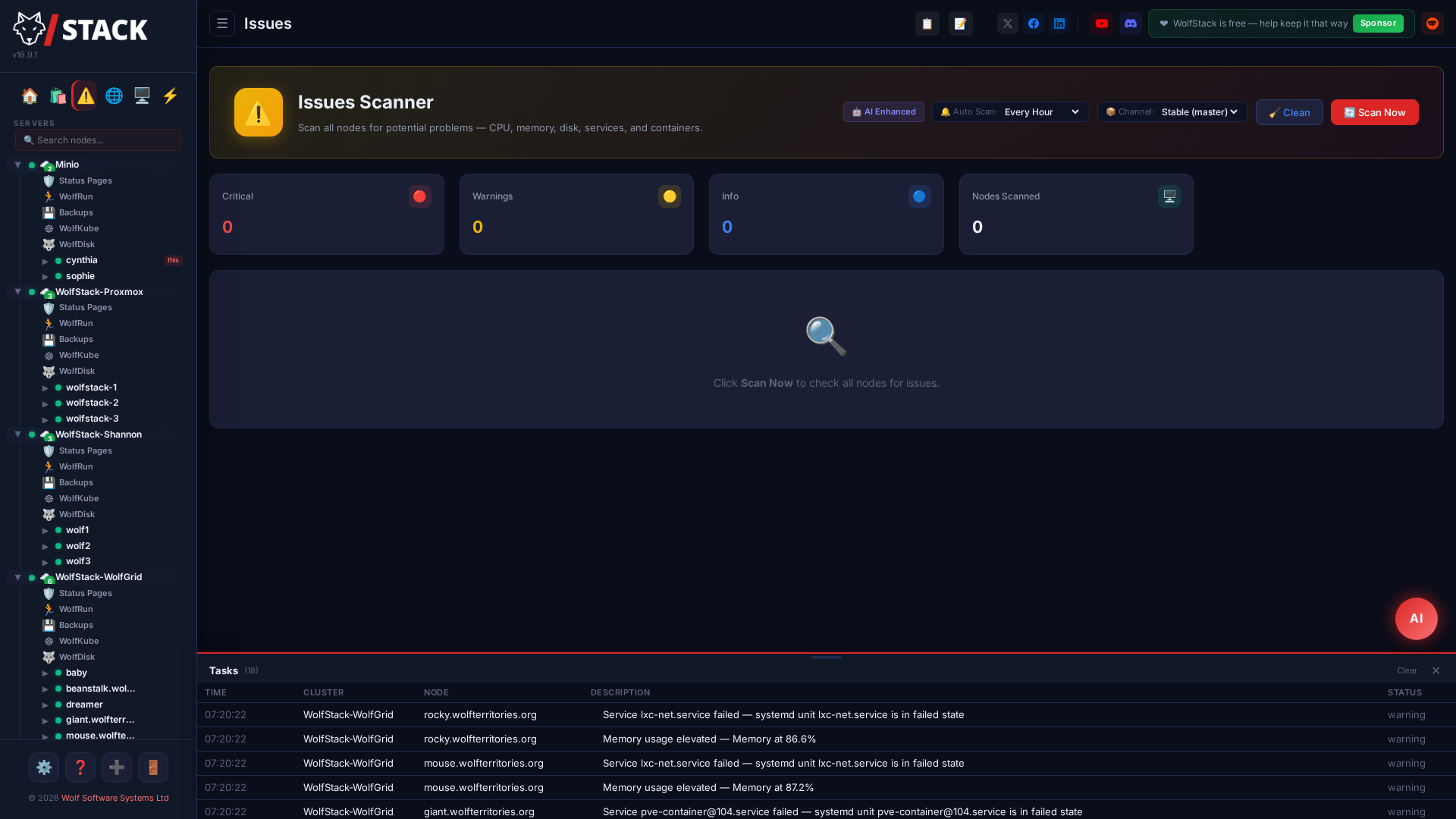
WolfStack’s Issues Scanner proactively scans your fleet for hardware, software, and configuration problems. Issues are categorised by severity (Critical, Warning, Info) and grouped by cluster.
v22.7.0 update: threshold-class issues (CPU / memory / disk-free / swap / load / failed systemd) now also surface in the 🔮 Predictive Inbox with snooze / dismiss / ack-as-intentional semantics, plus first-appearance notification dispatch — the canonical surface going forward. The Issues page remains for at-a-glance read-only triage; the Inbox is where you act.
What Gets Scanned
- CPU — High usage, thermal throttling
- Memory — Low available memory, swap usage
- Disk — Low disk space, failing drives, I/O errors
- Services — Failed systemd units, stopped critical services
- Network — Interface errors, unreachable peers
- Security — Outdated packages, open ports
Features
- Per-node scanning with real-time progress indicators
- Results grouped by cluster
- AI-enhanced issue categorisation
- Suggested remediation steps
- Fleet-wide summary dashboard
Running a scan and acting on it
- Click Issues in the sidebar to open the fleet-wide scanner.
- Click Scan to check every node now, or let the background scan populate results on its own schedule. A progress indicator shows each node as it completes.
- Findings appear grouped by cluster and sorted by severity — Critical first, then Warning and Info. Click a finding to expand its detail and the suggested remediation.
- Fix the underlying cause (for example, free disk space or restart a failed service) — many findings link straight to the relevant page. Re-scan to confirm it clears.
- For threshold-class findings, switch to the Predictive Inbox to snooze, dismiss or acknowledge as intentional so a known-and-accepted condition stops nagging you.